
FREECABLE© TV App: Shows, News
TV App: News, TV Shows, TV Series & MoviesテレビNews & Magazines
4.697.87K Reviews
- Version
- 12.02
- Installs
- 10.00M
- Age Rating
- Teen
Screenshots



Our Review of FREECABLE© TV App: Shows, News
 Analysis by Appyee
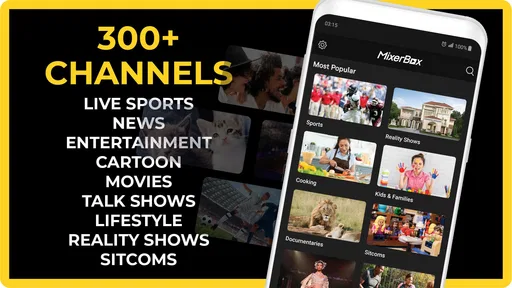
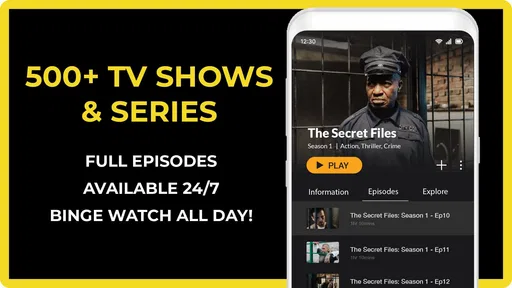
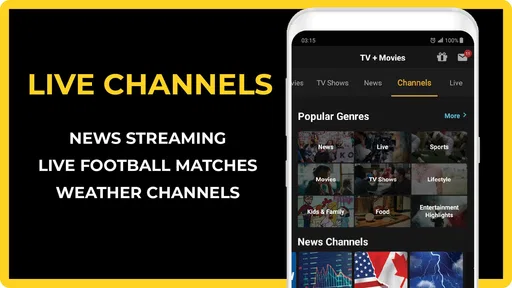
I spent time with FREECABLE© TV App: Shows, News as a way to browse television-style entertainment without committing to a paid subscription. It sits in the News & Magazines category, although its purpose is broader than a conventional newsreader: the app brings together live channels, shows, series, movies, news, and sports in one viewing hub. That mix makes it interesting for people who like channel surfing but do not want to install a separate app for every type of content.
The first thing I noticed is its unusually wide promise. The service presents more than 3,000 live channels alongside on-demand-style entertainment, so it is designed around discovery rather than a single favorite program. I would not approach it expecting the carefully organized catalog of one premium streaming service. I would approach it as a free television companion: open it when I want to see what is available, scan several categories, and settle on something that fits the moment.
How the free offer feels in everyday use
The cost question is refreshingly straightforward: the app is free to download and use. That makes the initial decision easy because there is no purchase price to weigh against the catalog. Still, “free” is best understood as free access to the app rather than a promise that every viewing experience will feel identical to a paid service. The practical value depends on how quickly I can find something worth watching and how comfortable I am with the app’s browsing style.
That distinction matters. A paid streaming platform usually asks me to choose one service for a particular catalog, while this app is more useful as a broad, low-commitment starting point. If I am trying to avoid another monthly bill, FREECABLE© TV gives me a way to explore live television and assorted entertainment without paying for access. I see the strongest value when I treat it as an addition to my existing viewing habits, not automatically as a complete replacement for every subscription.
The app was released on March 24, 2017, and the current version is 12.02. It supports devices running Android 5.0 or later, which gives it a relatively broad compatibility range for Android users. On my side, that older minimum requirement is useful because it means the app is not aimed only at people with the newest phones. The Teen content rating is also worth noticing: parents should make their own judgment before handing it to younger viewers, especially because the service brings together many kinds of programming rather than one tightly controlled children’s catalog.
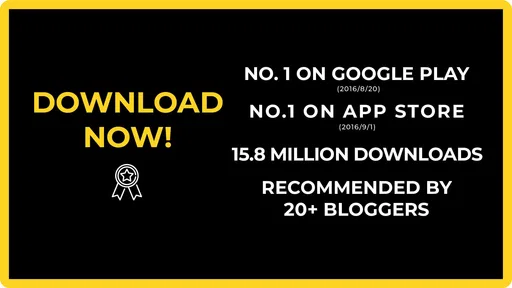
There is a clear reason the app has attracted attention. Its average rating is 4.6 from around 254 thousand ratings, and it has passed 10 million installs. Those figures do not guarantee that every channel or program will suit me, but they do suggest that the basic idea works for a substantial audience. I would read that popularity as evidence of broad usefulness, not as proof that it offers the same polish, consistency, or editorial control as a paid television platform.
A practical way to use the catalog
My preferred workflow is to open the app with a specific mood rather than a specific title. For example, I might begin with news during breakfast, move to sports or a live channel later, and use the shows or movies area when I want something less immediate. This is more efficient than scrolling aimlessly through a huge selection. The large channel count sounds impressive, but a big number can also create choice fatigue. A simple rule—news in the morning, live entertainment during a break, longer viewing in the evening—turns the breadth into something manageable.
That is one of the less obvious trade-offs here: the range is valuable only if I am willing to browse. Someone who already knows the exact series they want may have a smoother experience with the service that owns or specializes in that program. FREECABLE© TV makes more sense when I am open to discovering a channel, a news segment, or a film rather than demanding one guaranteed title.
I also found that the app’s mixed identity changes how I judge it. As a news app, it is less like a text-first reader and more like a television window. As an entertainment app, it is less focused than a single-genre streaming service. That combination is its defining strength and its central limitation. It can cover several viewing needs in one place, but it may not provide the depth or structure that a dedicated alternative offers for each one.
Where the value is strongest
The best value comes from convenience. Instead of switching between a news application, a live-TV service, a sports destination, and a movie platform, I can begin in one app and see what fits. That is especially useful on a spare evening when I do not want to research what to watch. It also works well for households with different tastes: one person can look for news, another can browse series, and someone else can check live sports without treating the app as a single-purpose tool.
For a commuter or traveler using an Android phone, the app can serve as a lightweight entertainment option when the goal is variety rather than a carefully saved watchlist. I would still plan around my connection and battery, because live video is naturally more demanding than reading headlines. The important point is not that the app replaces every other media source; it gives me a broad place to start when I want immediate viewing without paying first.
Its free status also lowers the risk of experimentation. I can install it, look through the channel and content categories, and decide whether the browsing experience suits me without making a financial commitment. That is a meaningful advantage over services where I must subscribe before I can judge whether the catalog matches my taste. In this case, the trial is essentially the product’s normal entry point.
Another useful scenario is background viewing at home. If I am cooking, tidying up, or taking a short break, a live channel can be more convenient than choosing a full movie or starting a long series. The app’s television-like approach fits those moments because I do not always need a carefully planned session. I can open it, browse briefly, and watch for as long as I have time.
The compromises I would consider first
The broad catalog does not automatically mean a consistent experience. Different kinds of content have different expectations. News needs timeliness and clarity, sports benefits from dependable live delivery, and movies or series need comfortable long-form viewing. A single app serving all of these purposes may feel convenient one moment and less focused the next. I would not choose it solely because the channel count is large; I would choose it because the variety is more useful to me than a tightly curated library.
There is also a difference between avoiding a subscription and avoiding every inconvenience. Free access can be excellent for casual viewing, but people who want a polished, predictable, uninterrupted premium experience may prefer a paid service built around a smaller catalog. Since the verified price information establishes free access but does not establish a paid tier or additional purchase value, I judge the app on what it offers without assuming premium extras. That keeps the value assessment honest: the main benefit is breadth at no stated purchase cost, not a claim about features or upgrades that are not confirmed.
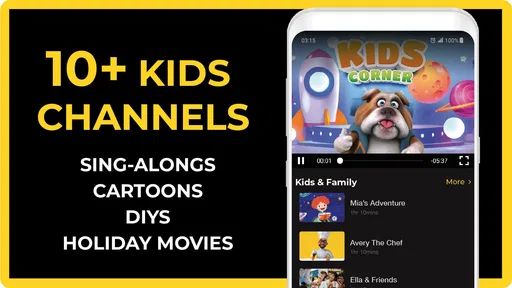
The Teen rating affects how I would use it with family. I would not treat the app as an automatic children’s entertainment solution. A parent should remain involved in choosing what is watched, particularly because news, sports, movies, and general television content can vary widely in tone. Adults and older teenagers are more likely to fit the intended audience than young children looking for a controlled selection.
Compatibility is another practical checkpoint. Android 5.0 support is helpful for older hardware, but anyone using a different platform should check the relevant store before planning around it. I would also avoid assuming that an older compatible device will deliver the same comfort as a newer one. Screen size, connection quality, and the age of the phone can all affect how enjoyable live video feels, even when the operating system meets the requirement.
The developer name shown for the app is TV App: News, TV Shows, TV Series & Moviesテレビ. That makes the product’s broad editorial direction easy to understand, but it also reinforces my advice to evaluate it as a general viewing toolbox. It is not the kind of app I would install only for one narrow subject unless I had already confirmed that its available channels matched that need.
Who is likely to get the most from it?
I would recommend FREECABLE© TV to someone who wants free television-style browsing and enjoys finding unexpected programs. It is a good match for viewers who move between news, sports, live channels, movies, and series instead of staying loyal to one format. It is also appealing to anyone who is tired of stacking several subscriptions and wants a no-cost option to fill the gaps between them.
It can be particularly useful for occasional viewers. If I only watch television now and then, paying for a service that sits unused may feel wasteful. A free app with a broad selection gives me something to open when the need arises, without turning casual viewing into a recurring expense. The trade-off is that I need to accept browsing and variety instead of expecting a carefully personalized, always-current queue of known favorites.
I would be more cautious about recommending it to a viewer who wants one specific premium series, a highly organized personal library, or a completely controlled family environment. In those cases, a specialist streaming service, a dedicated news reader, or a child-focused platform may be the better tool. Likewise, someone who watches almost exclusively on a large television should compare the app’s actual device experience with the platform they already use before making it their main service.
For news-focused users, the app is most attractive when video coverage is preferable to reading. If I want searchable articles, detailed text, saved stories, and a highly personalized headline feed, a dedicated news application will probably be more efficient. If I want to watch live coverage while checking other types of programming in the same place, this app has a more convincing role.
My verdict on value and whether to skip it
My conclusion is positive, with a clear condition: I would install FREECABLE© TV for its free, wide-ranging access, not because I expect it to behave like a premium replacement for every media service. The combination of live channels, news, sports, shows, series, and movies gives it real everyday usefulness, especially when I want something to watch quickly and do not want another bill.
The app’s strong public reception—an average of 4.6 and a user base measured in millions of installs—supports the idea that its general approach resonates. I still would not let those figures decide for me. The right question is whether I value breadth more than curation. If the answer is yes, the app offers a sensible free experiment. If I need a particular title, a refined recommendation system, or a predictable premium presentation, another category specialist is likely to serve me better.
My practical recommendation is to try it as a flexible second screen before treating it as your main television service. Use it for casual live viewing, news breaks, sports discovery, and filling empty evenings. Give it a fair test on the Android device you actually plan to use, and pay attention to how easily you find worthwhile content rather than judging it only by the size of its catalog.
In short, FREECABLE© TV earns its place through variety and zero stated purchase cost. I would recommend it to curious viewers who enjoy channel surfing and want one broad destination for several kinds of programming. I would skip it—or keep it only as a backup—if my viewing depends on one guaranteed show, a tightly managed children’s experience, or the focused tools of a dedicated news or streaming service.
Privacy and Permissions
See what permissions an app requests and how it handles your data.
- Identity
- find accounts on the device, add or remove accounts
- Contacts
- find accounts on the device
- Location
- approximate location (network-based)
- Phone
- read phone status and identity
- Photos/Media/Files
- read the contents of your USB storage, modify or delete the contents of your USB storage
- Storage
- read the contents of your USB storage, modify or delete the contents of your USB storage
- Wi-Fi connection information
- view Wi-Fi connections
- Device ID & call information
- read phone status and identity
- Other
- view network connections, create accounts and set passwords, change system display settings, full network access, change your audio settings, run at startup, control vibration, prevent device from sleeping, modify system settings
Verdict
Strengths of FREECABLE© TV App: Shows, News
- Free access to live TV channels and on-demand content
- Includes news, entertainment, sports, and lifestyle programming
- Simple interface makes browsing channels quick and convenient
- Works across supported Android and iOS devices
- Useful option for cord-cutters seeking free streaming content
Limitations of FREECABLE© TV App: Shows, News
- Channel availability varies by location and may change over time
- Ad interruptions can make longer viewing sessions less comfortable
- Some content may require a stable, high-speed internet connection
- Video quality can vary depending on the channel and network
- The app may collect usage data for advertising or analytics
Similar Picks in This Category
View All
Google News - Daily Headlines
Google LLC4.0

X
X Corp.4.8

Flipboard:Your Social Magazine
Flipboard3.4

Opera News: breaking & local
Opera4.5

Hindi News by Dainik Bhaskar
Dainik Bhaskar Group4.0

Way2News Daily News App
Way2News ( Formerly Way2SMS )4.6
Frequently Asked Questions
What is FREECABLE© TV App: Shows, News?
FREECABLE© TV is a streaming application that brings together free television content, including shows, news, movies, documentaries, and other entertainment options. After exploring the app, I found that it works mainly as a convenient hub for discovering available programming rather than as a replacement for every premium streaming service. The exact channels, programs, and viewing options may vary depending on your location and current content agreements.
Is FREECABLE© TV really free to download and use?
The application can generally be downloaded without an upfront purchase, but “free” does not always mean completely without limitations. Some content may be supported by advertisements, while certain features or viewing options could depend on regional availability or third-party services. Before installing, users should review the app-store listing and its terms carefully, especially if the app offers optional subscriptions, purchases, or account-based features.
What kind of content can I watch on FREECABLE© TV?
FREECABLE© TV focuses on a broad selection of programming, with categories that may include television shows, live or on-demand news, entertainment, lifestyle content, movies, and other video channels. The catalog is not necessarily identical for every user, since licensing and broadcasting rights differ by country. Content can also change over time, so the available lineup should be checked directly inside the app.
Does FREECABLE© TV require an account or a cable subscription?
Whether you need to create an account can depend on the feature you want to use and the version of the application available in your region. Many free streaming functions may be accessible with minimal registration, while personalized recommendations, saved content, or certain channels could require sign-in. A traditional cable subscription is not necessarily required, but some third-party channels may apply their own access rules.
Does FREECABLE© TV work on Android and iPhone, and what should I check before downloading?
FREECABLE© TV may be available for supported Android and iOS devices, but compatibility depends on your phone model, operating-system version, and country. Before downloading, check the official Google Play or App Store listing for current requirements, developer information, privacy details, and recent user reviews. A stable internet connection is also important, because streaming quality and data usage can vary significantly with mobile networks.
